

juristr
2/26/2014 - 8:34 AM
Upgrade Gist
Upgrade Gist
Upgrade WebApi beta to latest
Upgrading through the NuGet package manager is a pain
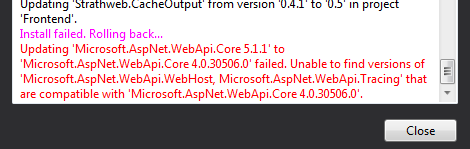
Therefore, I followed these steps
Create a new WebApi template project
Use VS2013 (possibly as it has the latest, most up-to-date templates) and generate a new, fresh WebApi project. Just a simple, empty one.
Verify it compiles and starts successfully and then open the packages.config.
Adjust the NuGet package versions and refresh
Now take the new WebApi references in the template project and copy them over to the project you'd like to upgrade. Once you've done that, execute this PowerShell script which syncs the NuGet packages.
Update Attribute Routing
Search regex: \[Http(\w*)\("([\w{}]*)"\)\]
Replace regex: [Http$1, Route("$2")]
Package Updates
Microsoft ASP.NET MVC
This is necessary to get the System.Web.Mvc referenced from NuGet instead of from the latest local .Net installation.
AutoFac
Use these packages (as of today):